
Use PGP (Pretty Good Privacy) Email Encryption, a security measure that lets you encrypt form data sent through email, to encrypt all notification emails containing collected sensitive information.
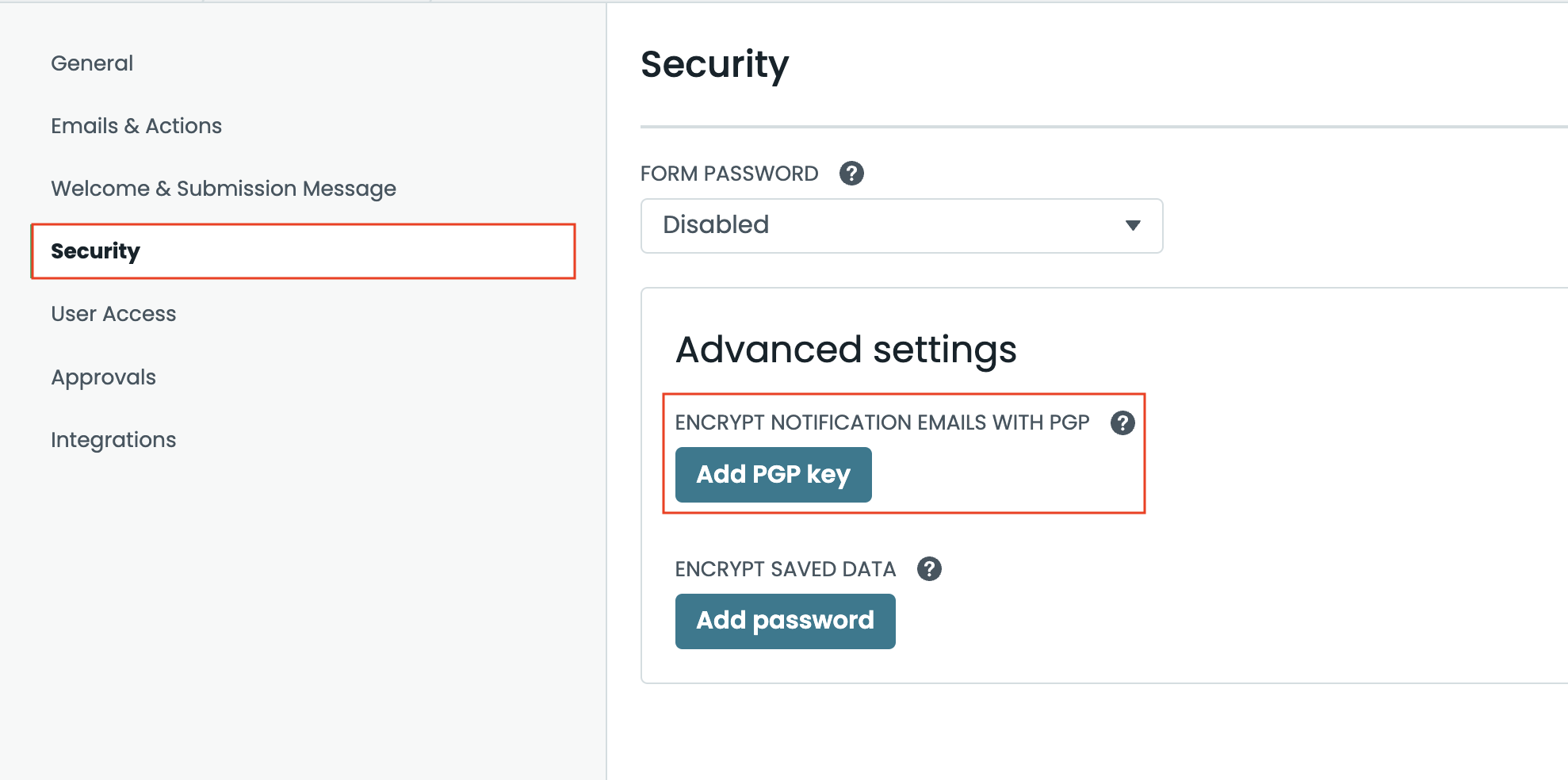
Step 1: From your form, navigate to the Settings tab and choose Security from the options.
Step 2: Under Advanced Settings, select Add PGP Key.
NOTE: If you do not see the PGP field, update your plan from the My Account > Billing > Form Plans tab.
Step 3: From the module, past in the public PGP key and select Add PGP Key to activate.
Formstack does not populate or set up PGP keys; these must be obtained and set up from other third-party programs. Get started reviewing programs at these suggested sites:
While it’s imperative to add a PGP key for collecting sensitive data via email; an alternative is to eliminate what collected information is sent via a custom notification email. Then utilize Formstack's encrypted saved data feature to view the sensitive information in-app via the Formstack Submissions.
For more information about whether or not the data you are sending is considered sensitive, check out Formstack’s Sensitive Data Help Guide. Regular email is not a secure method for sending sensitive data and violates the terms of service.
How do I enable PGP on my Formstack Form?
Step 1: From your form, navigate to the Settings tab and choose Security from the options. Step 2: Under Advanced Settings, select Add PGP Key.
NOTE: If you do not see the PGP field, update your plan from the My Account > Billing > Form Plans tab.
Step 3: From the module, past in the public PGP key and select Add PGP Key to activate.
How do I obtain a PGP key?
Formstack does not populate or set up PGP keys; these must be obtained and set up from other third-party programs. Get started reviewing programs at these suggested sites:
Is there an alternative to PGP?
While it’s imperative to add a PGP key for collecting sensitive data via email; an alternative is to eliminate what collected information is sent via a custom notification email. Then utilize Formstack's encrypted saved data feature to view the sensitive information in-app via the Formstack Submissions.For more information about whether or not the data you are sending is considered sensitive, check out Formstack’s Sensitive Data Help Guide. Regular email is not a secure method for sending sensitive data and violates the terms of service.